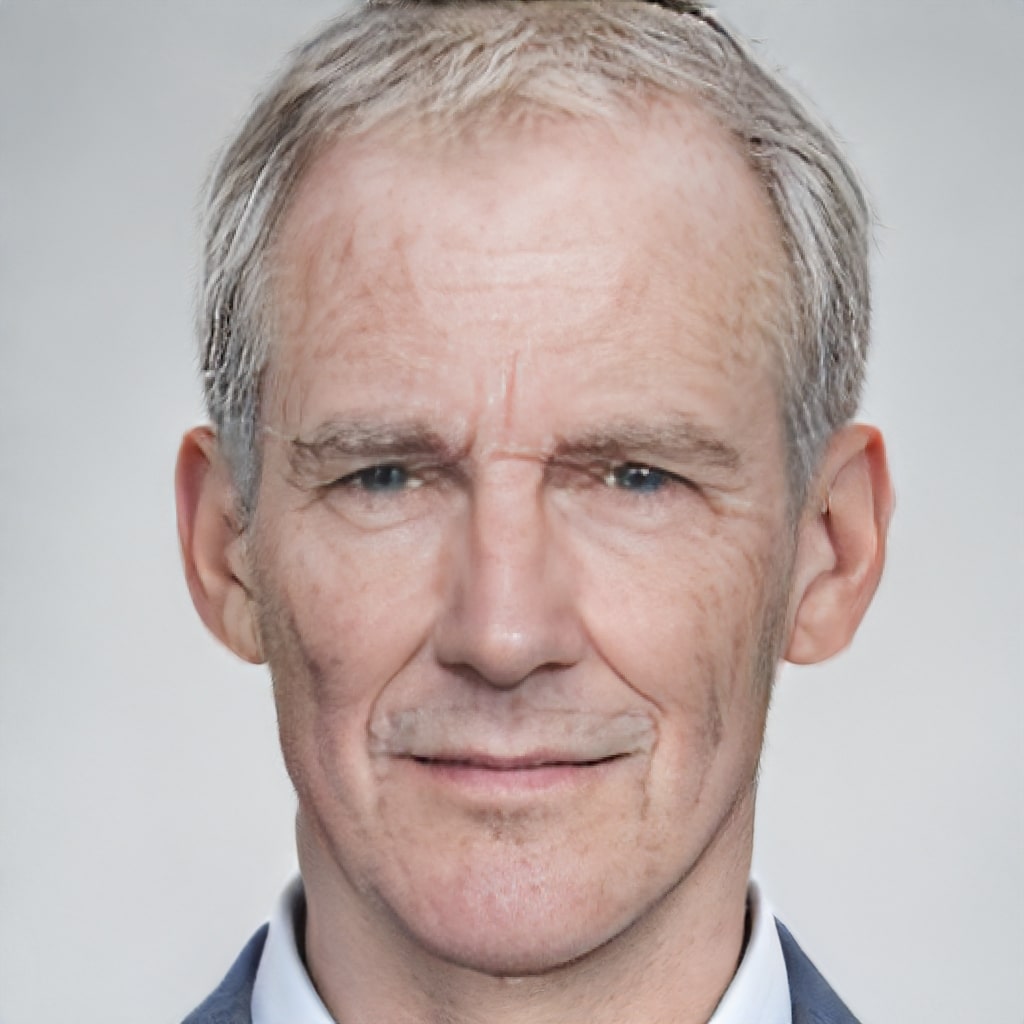
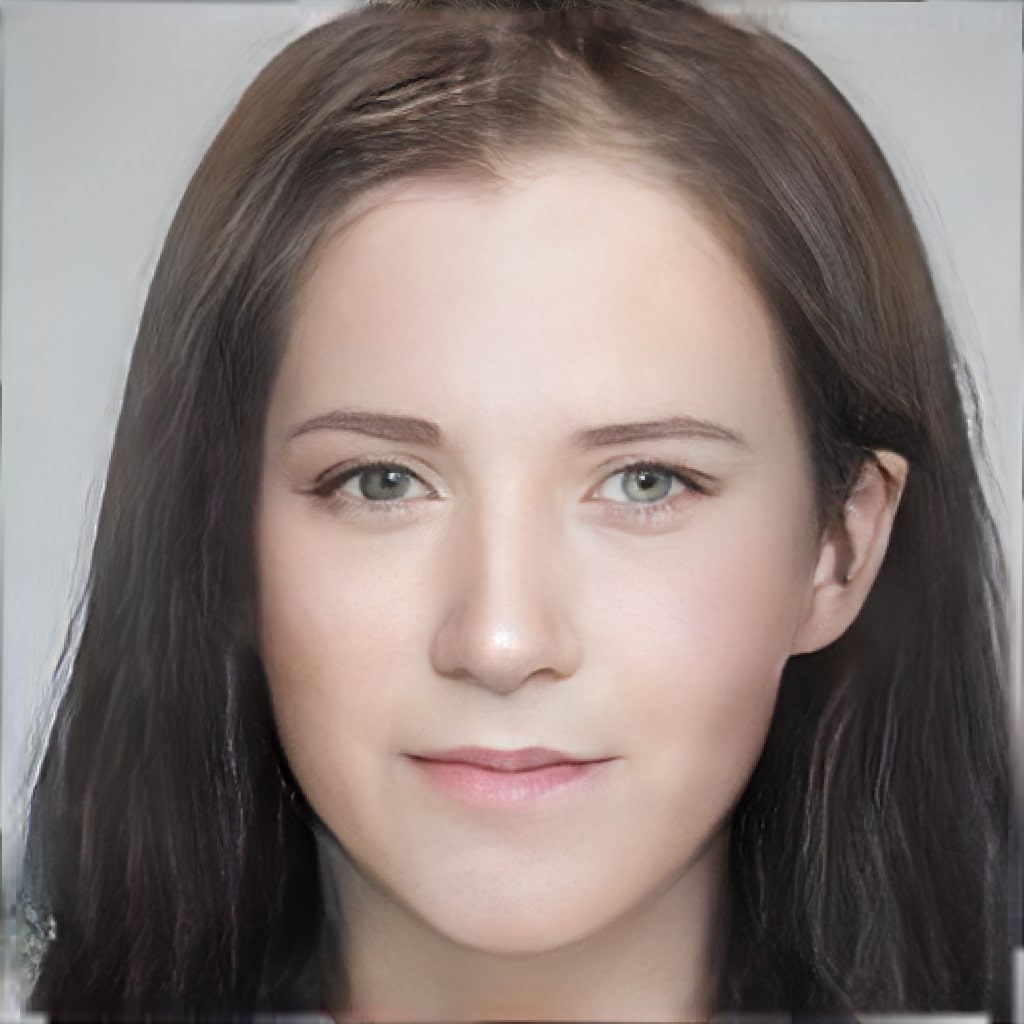
The Age & Gender Swap API allows users to transform facial features by swapping genders and altering ages, providing a range of captivating photo effects. This advanced service offers three key functions:
Ideal for social media, entertainment, digital marketing, and creative projects, the Age & Gender Swap API delivers high-quality, engaging photo transformations. Enhance user engagement and provide unique, personalized experiences with our powerful, scalable, and easy-to-integrate API, designed to meet the diverse needs of modern digital applications.
Transform facial features with our Age & Gender Swap API, offering gender swaps and age alterations to create diverse photo effects.
JPEG JPG PNG BMP| Field | Required | Type | Scope | Default | Description |
|---|---|---|---|---|---|
image |
YES | file |
|||
action_type |
YES | string |
|
Face editing method.
|
|
target |
YES | integer |
[1, 85] | Age. | |
quality_control |
NO | string |
|
NONE |
Image quality (image field image quality). Please select the appropriate option based on quality information such as masking, lighting, blurriness, and integrity of the face. If selecting a higher quality causes the image to be unprocessable, please select a lower quality to try.
|
face_location |
NO | json string |
When multiple faces are detected in the image, use this parameter to specify the position of the face to be edited in the image, or default to the largest face in the image if not specified. |
Age Swap - Endpoint Features
| Object | Description |
|---|---|
target |
[Required] Age. Scope: [1, 85] |
quality_control |
Optional Image quality (image field image quality). Please select the appropriate option based on quality information such as masking, lighting, blurriness, and integrity of the face. If selecting a higher quality causes the image to be unprocessable, please select a lower quality to try. `NONE`: No control is performed. `LOW`: Lower quality requirements. `NORMAL`: General quality requirements. `HIGH`: Higher quality requirements. |
face_location |
Optional When multiple faces are detected in the image, use this parameter to specify the position of the face to be edited in the image, or default to the largest face in the image if not specified. Example: {"left":111.4,"top":96.56,"width":98,"height":98,"rotation":3} |
Request Body |
[Required] File Binary |
{"error_code":0,"error_detail":{"status_code":200,"code":"","code_message":"","message":""},"log_id":"3204516709","request_id":"3204516709","_note":"Response truncated for documentation purposes"}
    curl --location 'https://zylalabs.com/api/4463/age+or+gender+swap+api/5476/age+swap?target=Required' \
    --header 'Content-Type: application/json' \
    --form 'image=@"FILE_PATH"'
Transform facial features with our Age & Gender Swap API, offering gender swaps and age alterations to create diverse photo effects.
JPEG JPG PNG BMP| Field | Required | Type | Scope | Default | Description |
|---|---|---|---|---|---|
image |
YES | file |
|||
action_type |
YES | string |
|
Face editing method.
|
|
target |
YES | integer |
|
Gender.
|
|
quality_control |
NO | string |
|
NONE |
Image quality (image field image quality). Please select the appropriate option based on quality information such as masking, lighting, blurriness, and integrity of the face. If selecting a higher quality causes the image to be unprocessable, please select a lower quality to try.
|
face_location |
NO | json string |
When multiple faces are detected in the image, use this parameter to specify the position of the face to be edited in the image, or default to the largest face in the image if not specified. |
Gender Swap - Endpoint Features
| Object | Description |
|---|---|
quality_control |
Optional Image quality (image field image quality). Please select the appropriate option based on quality information such as masking, lighting, blurriness, and integrity of the face. If selecting a higher quality causes the image to be unprocessable, please select a lower quality to try. `NONE`: No control is performed. `LOW`: Lower quality requirements. `NORMAL`: General quality requirements. `HIGH`: Higher quality requirements. |
face_location |
Optional When multiple faces are detected in the image, use this parameter to specify the position of the face to be edited in the image, or default to the largest face in the image if not specified. Example: {"left":111.4,"top":96.56,"width":98,"height":98,"rotation":3} |
Request Body |
[Required] File Binary |
target |
[Required] Gender. `0`: Male. `1`: Female. |
{"error_code":0,"error_detail":{"status_code":200,"code":"","code_message":"","message":""},"log_id":"2258461338","request_id":"2258461338","_note":"Response truncated for documentation purposes"}
    curl --location 'https://zylalabs.com/api/4463/age+or+gender+swap+api/5477/gender+swap?target=Required' \
    --header 'Content-Type: application/json' \
    --form 'image=@"FILE_PATH"'
| Header | Description |
|---|---|
Authorization
|
[Required] Should be Bearer access_key. See "Your API Access Key" above when you are subscribed. |
No long-term commitment. Upgrade, downgrade, or cancel anytime.
The Age & Gender Swap API allows users to transform facial features by swapping genders and altering ages, providing a range of captivating photo effects. Ideal for social media, entertainment, digital marketing, and creative projects, the Age & Gender Swap API delivers high-quality, engaging photo transformations. Enhance user engagement and provide unique, personalized experiences with our powerful, scalable, and easy-to-integrate API, designed to meet the diverse needs of modern digital applications.
Fun social: In the social field, you can use the face attribute editing ability to create creative social activities and fun ideas to form pop-up activities through community fission. Short video: Realize the production of short video with fun face attribute editing, which is fun and at the same time can meet the user's demand for cognition and display of their own image. Marketing: Apply face attribute editing effects to produce creative content, allowing users to experience "fun" technology while independently spreading marketing activities or advertising to achieve the effect of brand promotion.
Key point positioning: The algorithm accurately includes eyes, eyebrows, lips, nose and face contour, providing 72 high-precision key points FDDB official measurement. Fast response time: Using advanced neural portrait editing technology, the single image feature extraction speed (GPU), on average, reaches 100 ms, enabling fast response to face attribute transformation and generating a new face with the desired attributes. Excellent effect: the output face's expression, angle, background and other attributes are highly compatible with the input face, generating a unique artificial intelligence face effect with high image generation quality to meet the demand for visual effects.
We can activate your Pay-as-you-go plan.
Yes, you can ask for more details about the API.
Each endpoint returns a JSON response containing the edited image in BASE64 format, along with metadata such as request ID, log ID, and error details if applicable.
The key fields in the response data include `request_id`, `log_id`, `error_code`, `error_msg`, and `data`, where `data` contains the `image` field with the BASE64 encoded edited image.
Parameters include `image` (required), `action_type` (required, e.g., `V2_AGE` or `V2_GENDER`), `target` (required for age or gender), `quality_control` (optional), and `face_location` (optional for multiple faces).
Users can customize requests by specifying the `action_type` for age or gender transformation, setting the `target` age or gender, and adjusting `quality_control` for image processing based on their needs.
The response data is organized in a JSON structure, with public parameters at the top level and business parameters nested under the `data` field, which includes the edited image.
Typical use cases include creating engaging social media content, producing entertaining short videos, and generating unique marketing materials that showcase innovative technology.
Data accuracy is maintained through advanced algorithms that utilize high-density facial key points for transformations, ensuring realistic and high-quality output images.
Users can expect consistent output patterns, where the edited image retains the original's expression and background while reflecting the specified age or gender changes accurately.
Please have a look at our Refund Policy: https://zylalabs.com/terms#refund
To obtain your API key, you first need to sign in to your account and subscribe to the API you want to use. Once subscribed, go to your Profile, open the Subscription section, and select the specific API. Your API key will be available there and can be used to authenticate your requests.
You can’t switch APIs during the free trial. If you subscribe to a different API, your trial will end and the new subscription will start as a paid plan.
If you don’t cancel before the 7th day, your free trial will end automatically and your subscription will switch to a paid plan under the same plan you originally subscribed to, meaning you will be charged and gain access to the API calls included in that plan.
The free trial ends when you reach 50 API requests or after 7 days, whichever comes first.
No, the free trial is available only once, so we recommend using it on the API that interests you the most. Most of our APIs offer a free trial, but some may not include this option.
Yes, we offer a 7-day free trial that allows you to make up to 50 API calls at no cost, so you can test our APIs without any commitment.
Zyla API Hub is like a big store for APIs, where you can find thousands of them all in one place. We also offer dedicated support and real-time monitoring of all APIs. Once you sign up, you can pick and choose which APIs you want to use. Just remember, each API needs its own subscription. But if you subscribe to multiple ones, you'll use the same key for all of them, making things easier for you.
Service Level:
100%
Response Time:
2,008ms
Service Level:
100%
Response Time:
929ms
Service Level:
100%
Response Time:
13ms
Service Level:
100%
Response Time:
282ms
Service Level:
100%
Response Time:
30ms
Service Level:
100%
Response Time:
485ms
Service Level:
100%
Response Time:
412ms
Service Level:
100%
Response Time:
840ms
Service Level:
100%
Response Time:
227ms
Service Level:
100%
Response Time:
358ms
Service Level:
100%
Response Time:
81ms
Service Level:
100%
Response Time:
129ms
Service Level:
100%
Response Time:
75ms
Service Level:
100%
Response Time:
215ms
Service Level:
100%
Response Time:
1,202ms
Service Level:
100%
Response Time:
66ms
Service Level:
100%
Response Time:
77ms
Service Level:
100%
Response Time:
1,128ms
Service Level:
100%
Response Time:
1,978ms
Service Level:
100%
Response Time:
142ms